简易版

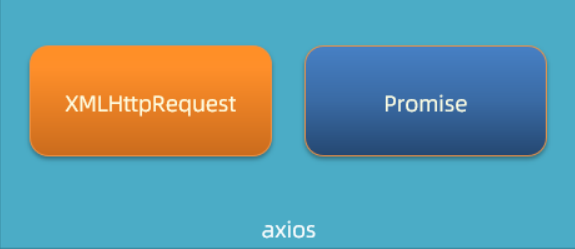
  1. 需求:基于 Promise 和 XHR 封装 myAxios 函数,获取省份列表展示到页面
  1. 核心语法:
1
2
3
4
5
6
7
8
9
10
11
12
13
14
function myAxios(config) {
return new Promise((resolve, reject) => {
// XHR 请求
// 调用成功/失败的处理程序
})
}

myAxios({
url: '目标资源地址'
}).then(result => {

}).catch(error => {

})
  1. 步骤:
    1. 定义 myAxios 函数,接收配置对象,返回 Promise 对象
    2. 发起 XHR 请求,默认请求方法为 GET
    3. 调用成功/失败的处理程序
    4. 使用 myAxios 函数,获取省份列表展示
  2. 核心代码
1
2
3
4
5
6
7
8
9
10
11
12
13
14
15
16
17
18
19
20
21
22
23
24
25
26
27
28
29
30
31
32
33
34
35
/**
* 目标:封装_简易axios函数_获取省份列表
* 1. 定义myAxios函数,接收配置对象,返回Promise对象
* 2. 发起XHR请求,默认请求方法为GET
* 3. 调用成功/失败的处理程序
* 4. 使用myAxios函数,获取省份列表展示
*/
// 1. 定义myAxios函数,接收配置对象,返回Promise对象
function myAxios(config) {
return new Promise((resolve, reject) => {
// 2. 发起XHR请求,默认请求方法为GET
const xhr = new XMLHttpRequest()
xhr.open(config.method || 'GET', config.url)
xhr.addEventListener('loadend', () => {
// 3. 调用成功/失败的处理程序
if (xhr.status >= 200 && xhr.status < 300) {
resolve(JSON.parse(xhr.response))
} else {
reject(new Error(xhr.response))
}
})
xhr.send()
})
}

// 4. 使用myAxios函数,获取省份列表展示
myAxios({
url: 'http://hmajax.itheima.net/api/province'
}).then(result => {
console.log(result)
document.querySelector('.my-p').innerHTML = result.list.join('<br>')
}).catch(error => {
console.log(error)
document.querySelector('.my-p').innerHTML = error.message
})

携带参数版

修改步骤:

  1. myAxios 函数调用后,判断 params 选项
  2. 基于 URLSearchParams 转换查询参数字符串
  3. 使用自己封装的 myAxios 函数显示地区列表
1
2
3
4
5
6
7
8
9
10
11
12
13
14
15
16
17
18
19
20
21
22
23
24
25
26
27
28
29
30
31
32
33
34
35
function myAxios(config) {
return new Promise((resolve, reject) => {
const xhr = new XMLHttpRequest()
// 1. 判断有params选项,携带查询参数
if (config.params) {
// 2. 使用URLSearchParams转换,并携带到url上
const paramsObj = new URLSearchParams(config.params)
const queryString = paramsObj.toString()
// 把查询参数字符串,拼接在url?后面
config.url += `?${queryString}`
}

xhr.open(config.method || 'GET', config.url)
xhr.addEventListener('loadend', () => {
if (xhr.status >= 200 && xhr.status < 300) {
resolve(JSON.parse(xhr.response))
} else {
reject(new Error(xhr.response))
}
})
xhr.send()
})
}

// 3. 使用myAxios函数,获取地区列表
myAxios({
url: 'http://hmajax.itheima.net/api/area',
params: {
pname: '辽宁省',
cname: '大连市'
}
}).then(result => {
console.log(result)
document.querySelector('.my-p').innerHTML = result.list.join('<br>')
})

请求体携带数据版

修改步骤:

  1. myAxios 函数调用后,判断 data 选项
  2. 转换数据类型,在 send 方法中发送
  3. 使用自己封装的 myAxios 函数完成注册用户功能
1
2
3
4
5
6
7
8
9
10
11
12
13
14
15
16
17
18
19
20
21
22
23
24
25
26
27
28
29
30
31
32
33
34
35
36
37
38
39
40
41
42
43
44
45
46
function myAxios(config) {
return new Promise((resolve, reject) => {
const xhr = new XMLHttpRequest()

if (config.params) {
const paramsObj = new URLSearchParams(config.params)
const queryString = paramsObj.toString()
config.url += `?${queryString}`
}
xhr.open(config.method || 'GET', config.url)

xhr.addEventListener('loadend', () => {
if (xhr.status >= 200 && xhr.status < 300) {
resolve(JSON.parse(xhr.response))
} else {
reject(new Error(xhr.response))
}
})
// 1. 判断有data选项,携带请求体
if (config.data) {
// 2. 转换数据类型,在send中发送
const jsonStr = JSON.stringify(config.data)
xhr.setRequestHeader('Content-Type', 'application/json')
xhr.send(jsonStr)
} else {
// 如果没有请求体数据,正常的发起请求
xhr.send()
}
})
}

document.querySelector('.reg-btn').addEventListener('click', () => {
// 3. 使用myAxios函数,完成注册用户
myAxios({
url: 'http://hmajax.itheima.net/api/register',
method: 'POST',
data: {
username: 'itheima999',
password: '666666'
}
}).then(result => {
console.log(result)
}).catch(error => {
console.dir(error)
})
})

